mini_banner

Monday, May 14, 2007

Another Way To Get Wi-Fi Working - Feisty Only

I got this guide from Cosmin at http://www.linux-geek.org/. It allows you to use the Broadcom naitive linux driver at a decent speed with good reliability. He deserves all the credit. I had nothing to do with making the packages or helping to write the guide. If it works for you, thank him. If you have questions, comments or praise check out his blog and leave your questions/comments there. All I did was put it in my format and clean up the design.

Disclaimer:
I recommend using ndiswrapper, it works at full speed, offers system stability and is the best bet for new Ubuntu/Linux users. This is NOT a guide for people who couldn't get my ndiswrapper guide to work. The guide works. If you can't get it work, I guarantee you are doing something wrong. All you have to do is copy, paste and follow directions. I will not answer any questions from people who can not get this guide to work for them. This guide is for people experiencing WPA problems, want to use Aircrack, or are comfortable with unstable bleeding edge drivers. The native linux Broadcom driver does not work at full speed, it tops out at 11MBps. The module was take from a newer kernel and "ported" by Cosmin, meaning it wasn't intended to be used with your kernel. I've been testing it for three weeks now and am pretty satisfied with it. This guide is intended just for the 2.6.20-15-generic kernel, the default one in Feisty.

This is only for 32 bit version, for 64 bit version go to Cosmin's blog

Get the deb package
wget http://ubuntu.cafuego.net/pool/feisty-cafuego/bcm43xx/bcm43xx-firmware_1.3-1ubuntu2_all.deb

Install the firmware files
sudo dpkg -i ./bcm43xx-firmware_1.3-1ubuntu2_all.deb

Remove the package
sudo rm ./bcm43xx-firmware_1.3-1ubuntu2_all.deb

Download the module for the 32 bit kernel
wget http://linux-geek.org/files/bcm43xx.tar.bz2
or get it here: http://www.mediafire.com/?8mnjnsxubdn


Replace the bcm43xx driver provided by the Ubuntu kernel with the driver ported by Cosmin, from the 2.6.21-rc7 kernel
sudo rm /lib/modules/2.6.20-15-generic/kernel/drivers/net/wireless/bcm43xx/bcm43xx.ko

sudo tar xvjf ./bcm43xx.tar.bz2 -C /lib/modules/2.6.20-15-generic/kernel/drivers/net/wireless/bcm43xx/

Reboot

To test if it working
sudo modprobe bcm43xx

sudo iwlist scan

Enjoy!
edited by pHreaksYcle

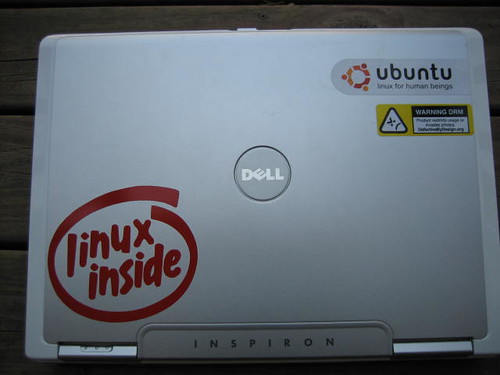
My Dell Inspiron 1501

Because a bunch of people keep asking me for my system specs even though they were listed in my first post.

Mobile AMD Sempron 3500+ Processor (1.8GHz/512K)
ATI Radeon Xpress 1150 with up to 256MB HyperMemory
1.5GB of 533 DDR2 RAM (using 192MB for Video Card)
160GB 5400 RPM SATA hard drive
DVD+/-RW with Dual Layer DVD+R write capacity
Dell Wireless 1390 802.11g Mini Card (54Mbps)
Integrated Richo 3in1 card reader

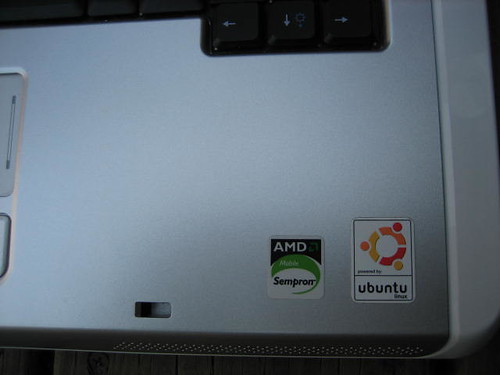
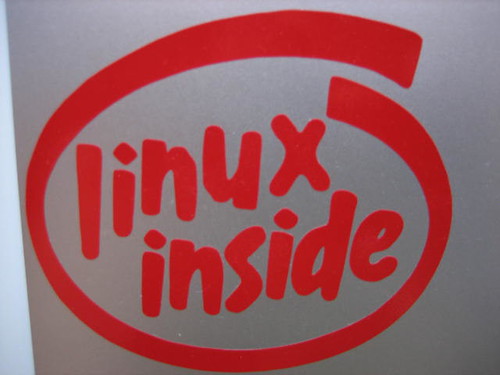
We were indexed by google a while ago and I never mentioned it. You can find ubuntu1501 when entering ubuntu dell 1501, linux dell 1501, dell 1501 and combinations of those words and applications I've written about. I was looking into installing azureus from source and googled "installing azureus ubuntu" and got my own blog. Needless to say the answer wasn't there. But none of this would even be possible without you guys reading my blog. So thank you readers! Sorry about the lack of updates after the barrage of updates last week. Paramedic program is sucking up a ton of my time. Good news is everything is going to be back to normal after Wednesday. Now enjoy pics of my 1501.

desktop
cover
sticker
linux inside
sticker drm
edited by pHreaksYcle

Wednesday, May 9, 2007

Free Ubuntu Computer Stickers

Free as in the cost of a stamp and an envelope. Just like the Windows logo sticker that came with your Dell Inspiron 1501.

In the United States Send a self addressed stamped envelope to:
System76, Inc. (Free Sticker)
1582 S. Parker Rd. Ste. 310
Denver, Colorado 80231

Don't live in the US? Don't sweat it. Argentina, Australia, Belgium, Bolivia, Brazil, Canada, Chile, Colombia, France, Germany, Hungary, India, Italy, Mexico
Netherlands, New Zealand, Norway, Peru, Serbia, Switzerland, Turkey, United Kingdom and Venezuela all have there own offers. CLICK HERE for your local address.
edited by pHreaksYcle

Saturday, May 5, 2007

Customizing Firefox

This works for anyone running Firefox, not just for Ubuntu users.

Access FireFox's Configuration File
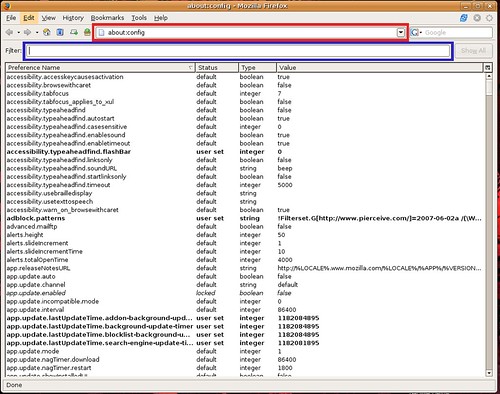
type about:config into the url
about_config
The red box is the url, where you type about:config
The Blue box is the filter box, it allows you to search through the about:config file and is where you type the blue text commands

Now let's get Firefox to run faster:

Normally the browser will make one request to a web page at a time. When you enable pipelining it will make several at once, which really speeds up page loading.

Set "network.http.pipelining" to "true"
Set "network.http.proxy.pipelining" to "true"
Set "network.http.pipelining.maxrequests" to 15.
Right-click anywhereinside the firefox winodw and select New-> Integer.
Name it "nglayout.initialpaint.delay" and set its value to "0.

Firefox downloads webpages from links it thinks you may click. This may make the "experience" seem faster but really it just bogs down Firefox and you PC.
Set "network.prefetch-next" to false

Remove some annoying Firefox features:
Turn off chrome tooltips, this causes little pop up winodws to tell you what your mouse is hovering over. If you been using Firefox for as long or longer than I have (before 1.0) you really don't need to be told what the back button does. It also hinders dragging a bookmark into the bookmark toolbar folder, the tool tip gets in the way and prevents the drop from working.
Set "browser.chrome.toolbar_tip" to false

Customize backspace button, the Ubuntu default is set to scroll up when hit. I prefer it to work like it did in Windows and go back in my page history.
Set "
browser.backspace_action" to either 0 or 1
0 - Pressing backspace button will go back a page in the session history
1
- Pressing backspace button will scroll up a page in the current document and
[Shift]+[Backspace] will scroll down.

Remove URL GO button. No one over the age of 4 and under the ago of 50 uses it.
Set " browser.urlbar.hideGoButton" to true

Some of my favorite plugins:
Tab Mix Plus
Tab Mix Plus enhances Firefox's tab browsing capabilities. It includes such features as duplicating tabs, controlling tab focus, tab clicking options, undo closed tabs and windows, plus much more. It also includes a full-featured session manager with crash recovery that can save and restore combinations of opened tabs and windows.

Foxmarks Bookmarks
If you use Firefox on more than one computer, you'll want Foxmarks. Install Foxmarks on each computer, and it will work silently in the background to keep your bookmarks synchronized. As a bonus, log in to my.foxmarks.com from any computer anywhere to access your bookmarks.

Mouse Gestures
Allows you to execute common commands (like page forward/backward, close tab, new tab) by mouse gestures drawn over the current webpage, without reaching for the toolbar or the keyboard.
You can also use click-only "rocker" gestures which are even faster than drawn gestures.

Flashblock
Flashblock is an extension for the Mozilla, Firefox, and Netscape browsers that takes a pessimistic approach to dealing with Macromedia Flash content on a webpage and blocks ALL Flash content from loading. It then leaves placeholders on the webpage that allow you to click to download and then view the Flash content.

Adblock Plus
Right-click on a banner and choose "Adblock" from the context menu - the banner won't be downloaded again. Maybe even replace parts of the banner address with star symbols to block similar banners as well. Or you select a filter subscription when Adblock Plus starts up the first time, then even this simple task will usually be unnecessary: the filter subscription will block most advertisements fully automatically.

Adblock Filterset.G Updater
This is a companion extension to Adblock or Adblock Plus and should be used in conjunction with it. This extension automatically downloads the latest version of Filterset.G every 4-7 days. Filterset.G is an excellent set of filters maintained by G for Adblock that blocks most ads on the internet. In addition, this extension allows you to define your own set of filters that you can add along with Filterset.G during an update. To report missed ads or problems with the extension visit the support forums http://forum.pierceive.com/.

Winestripe Theme
This is the classic Firefox 1.5 theme for Firefox 2.0. I can't stand the default theme for Firefox 2.0, so I'm glad Florian Schmitz made this.

To enable autoscrolling & smooth scrolling go to Edit->Preferences and click Advanced. It allows you to middle click/touch pad scroll smoothly left, right, up and down web pages. It's enabled in Windows but not in Ubuntu.
Firefox Advanced Options
edited by pHreaksYcle

Installing Mozilla Thunderbird in Ubuntu 7.04 Feisty Fawn

This works for anyone running Ubuntu 7.04 Feisty Fawn, not just for Dell Inspiron 1501 users.

Evolution is a good email client, I've been using it for four months now and don't have any real complaints. But Thunderbird 2 is hands down the best email client I have ever used and it's incredibility easy to install.

Mozilla Thunderbird is a free, cross-platform e-mail and news client developed by the Mozilla Foundation. The project strategy is modelled after Mozilla Firefox. Just as Firefox aims to redefine the web browser, Thunderbird is a refinement of the mail and news interface.
To learn more check out the Wiki or Mozilla's Thunderbird Page

Download Mozilla Thunderbird 2:
wget -c http://releases.mozilla.org/pub/mozilla.org/thunderbird/releases/2.0.0.0/linux-i686/en-US/thunderbird-2.0.0.0.tar.gz

Extract it:
sudo tar -C /opt -zxvf thunderbird-2.0.0.0.tar.gz

Make a launcher command available to all users:
first:
sudo dpkg-divert --divert /usr/bin/mozilla-thunderbird.ubuntu --rename /usr/bin/mozilla-thunderbird
second:
sudo ln -s /opt/thunderbird/thunderbird /usr/bin/mozilla-thunderbird
third:
sudo ln -s /opt/thunderbird/thunderbird /usr/bin/thunderbird

Now you can launch Thunderbird with the command:
thunderbird

Now we will make a launcher for Thunderbird
1. Right click the Application Places System menu bar
2. Select edit menus
3. Scroll down to Internet
4. Select new item (upper right hand corner of window)
5. Fill in the boxes you can put whatever you want in, only command matters
Type: Application
Name: Mozilla Thunderbird
Command: thunderbird
Comment: Email Client
6. Select an icon, or you can use this one here.

Enjoy, Thunderbird automatically configures Gmail. if you need to configure another email service check out the Mozilla Thunderbird F.A.Q.
edited by pHreaksYcle

Installing Wine on Your Dell 1501 [Feisty]

This works for anyone running Ubuntu 7.04 Feisty Fawn, not just for Dell Inspiron 1501 users.

Wine is a translation layer (a program loader) capable of running Windows applications on Linux. Windows programs running in Wine act as native programs would, running without the performance or memory usage penalties of an emulator, with a similar look and feel to other applications on your desktop. From the Wine Website

Remember kids, Wine Is Not an Emulator

Add Wine's repositories to your source list:
sudo wget http://wine.budgetdedicated.com/apt/sources.list.d/feisty.list -O /etc/apt/sources.list.d/winehq.list

Add the repository key:
wget -q http://wine.budgetdedicated.com/apt/387EE263.gpg -O- | sudo apt-key add -

Update apt-get:
sudo apt-get update

Install Wine:
sudo apt-get install wine

Once installed you have to configure it:
winecfg
edited by pHreaksYcle

Friday, May 4, 2007

VMware Working on 1501 [Feisty]

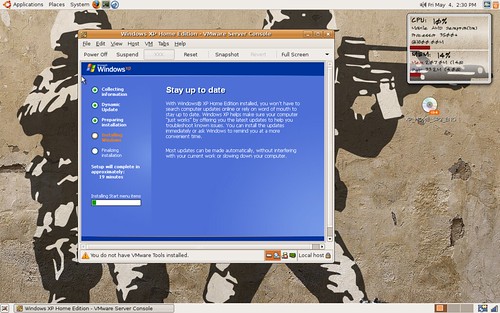
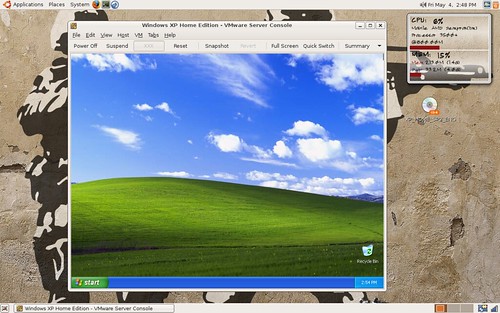
I finally got around to installing VMware on my Dell 1501. While I wish I could used a KVM, my Sempron 3500+ doesn't support it. It does run VMware well, here are some screens. With a guide to follow shortly.

VMware XP Install

VMware Running XP on Ubuntu 7.04
edited by pHreaksYcle